TapDeck

TapDeck is a native macOS utility that turns multi-finger trackpad gestures into mouse clicks, system actions, and app shortcuts. It is written in Swift and SwiftUI, runs quietly in the background, and processes all touch data locally.
Highlights
- Recognizes two-, three-, and four-finger taps and physical clicks.
- Recognizes a one-finger Force Click on Force Touch trackpads.
- Maps each gesture independently to a mouse click, macOS workspace command, Quick Look, or an application.
- Includes a live Gesture Test that never runs the configured actions.
- Provides adjustable tap duration, movement tolerance, and haptic feedback.
- Recovers monitoring after sleep, device disconnection, or an interrupted event monitor.
- Runs without a Dock or Command-Tab icon after the settings window closes, with an optional menu bar icon.
- Supports English and Traditional Chinese, following the macOS language preference.
- Contains no networking, analytics, advertising, or telemetry.
Gesture Configuration
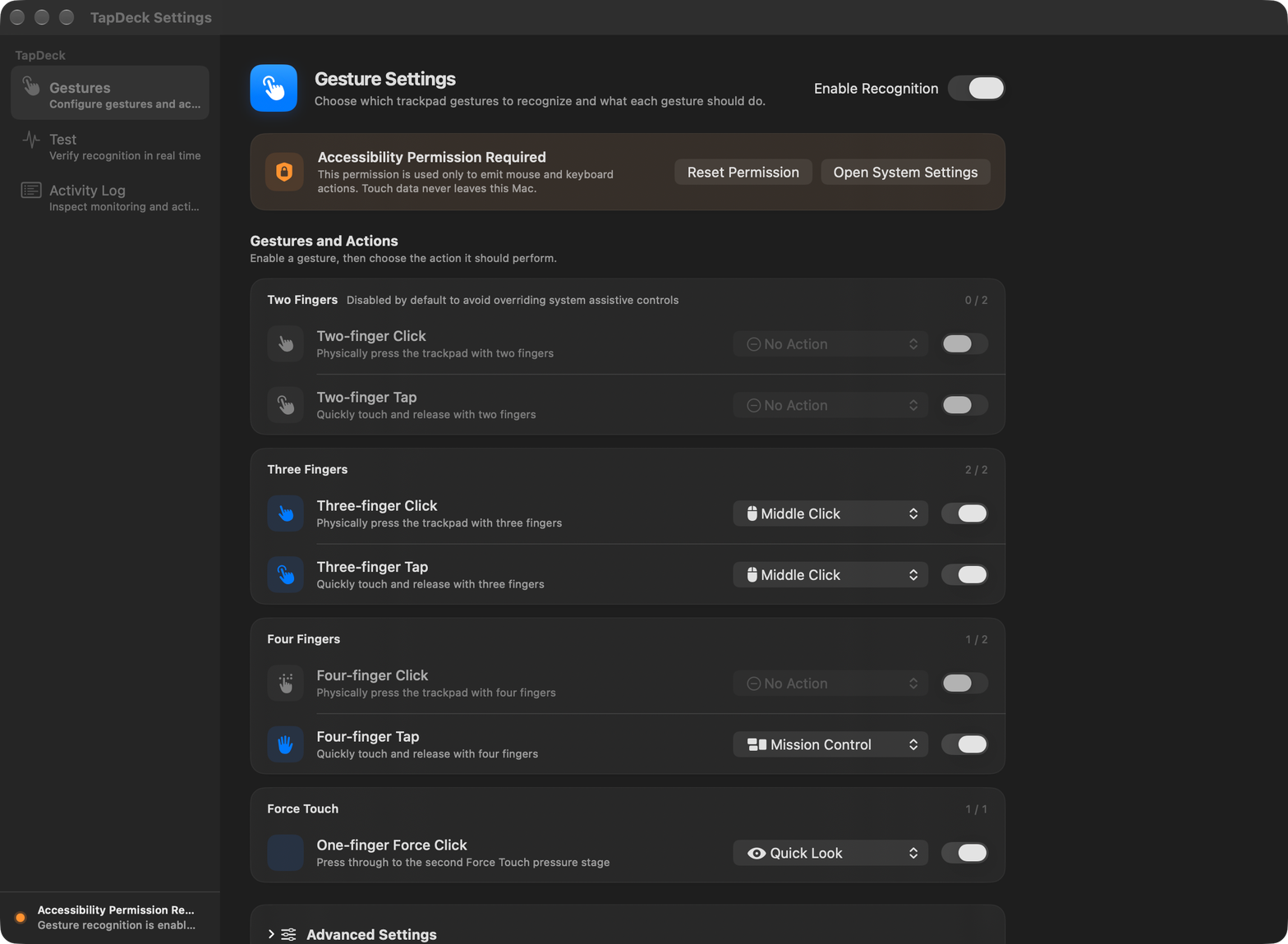
Every gesture has its own enable switch and action menu. The built-in defaults are deliberately conservative so common macOS assistive gestures are not replaced unexpectedly.
| Gesture | Default | Default action |
|---|---|---|
| One-finger Force Click | On | Quick Look |
| Two-finger Click | Off | No Action |
| Two-finger Tap | Off | No Action |
| Three-finger Click | On | Middle Click |
| Three-finger Tap | On | Middle Click |
| Four-finger Click | Off | No Action |
| Four-finger Tap | On | Mission Control |
Available actions:
- Left Click, Middle Click, and Right Click
- Quick Look
- Mission Control
- App Exposé
- Show Desktop
- Open or switch to a selected application
- No Action
When an application shortcut is selected, TapDeck launches the app if necessary or brings all of its windows forward when it is already running.
Gesture Test
The Test page visualizes current finger contact and reports every supported gesture in real time. Test mode suppresses configured actions, so recognition can be checked safely before a binding is enabled.
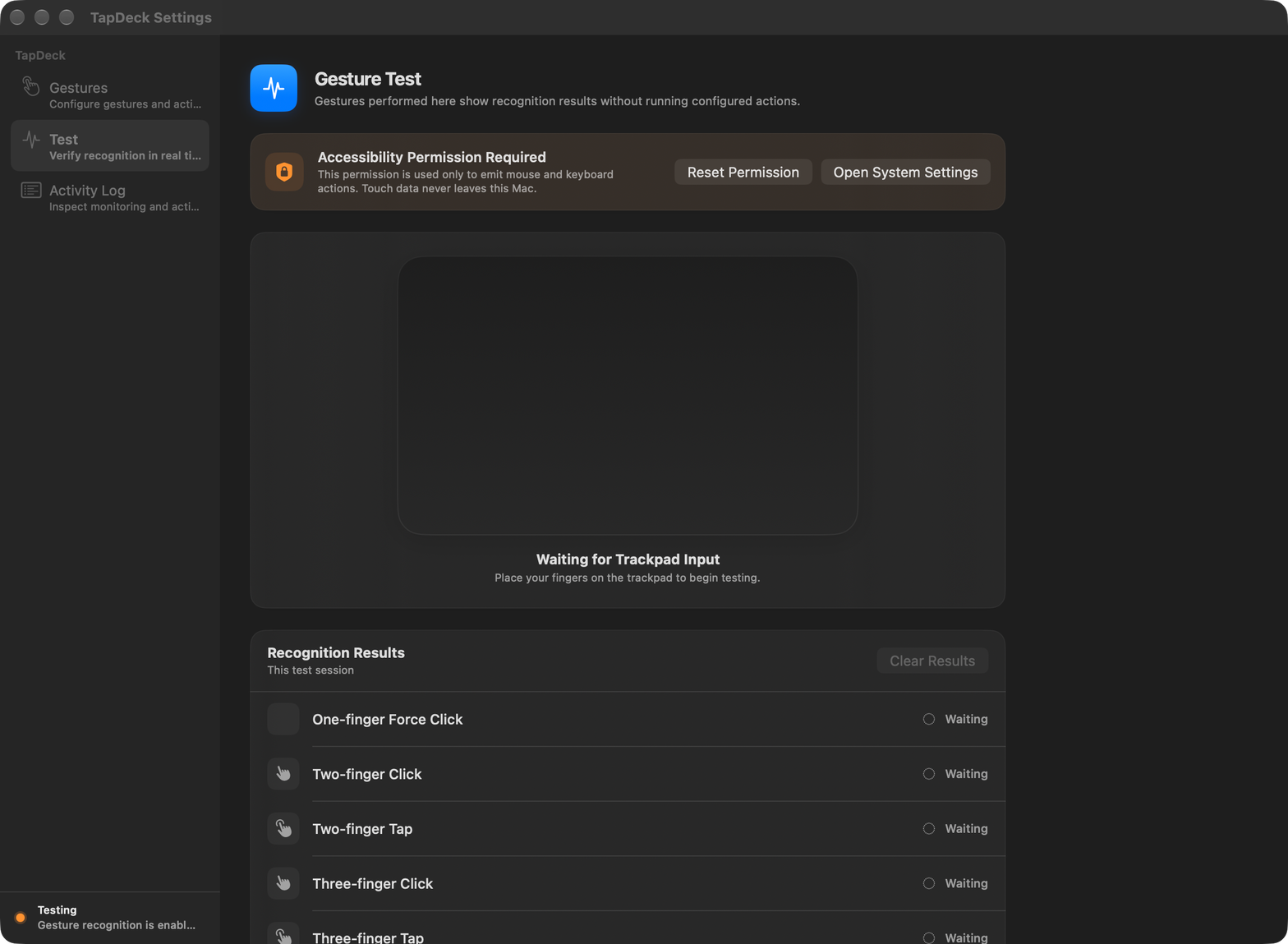
Closing the settings window exits Test mode automatically.
Activity Log
The optional in-app log records gesture recognition, requested actions, monitoring changes, reconnections, test-mode transitions, and sleep or wake events.
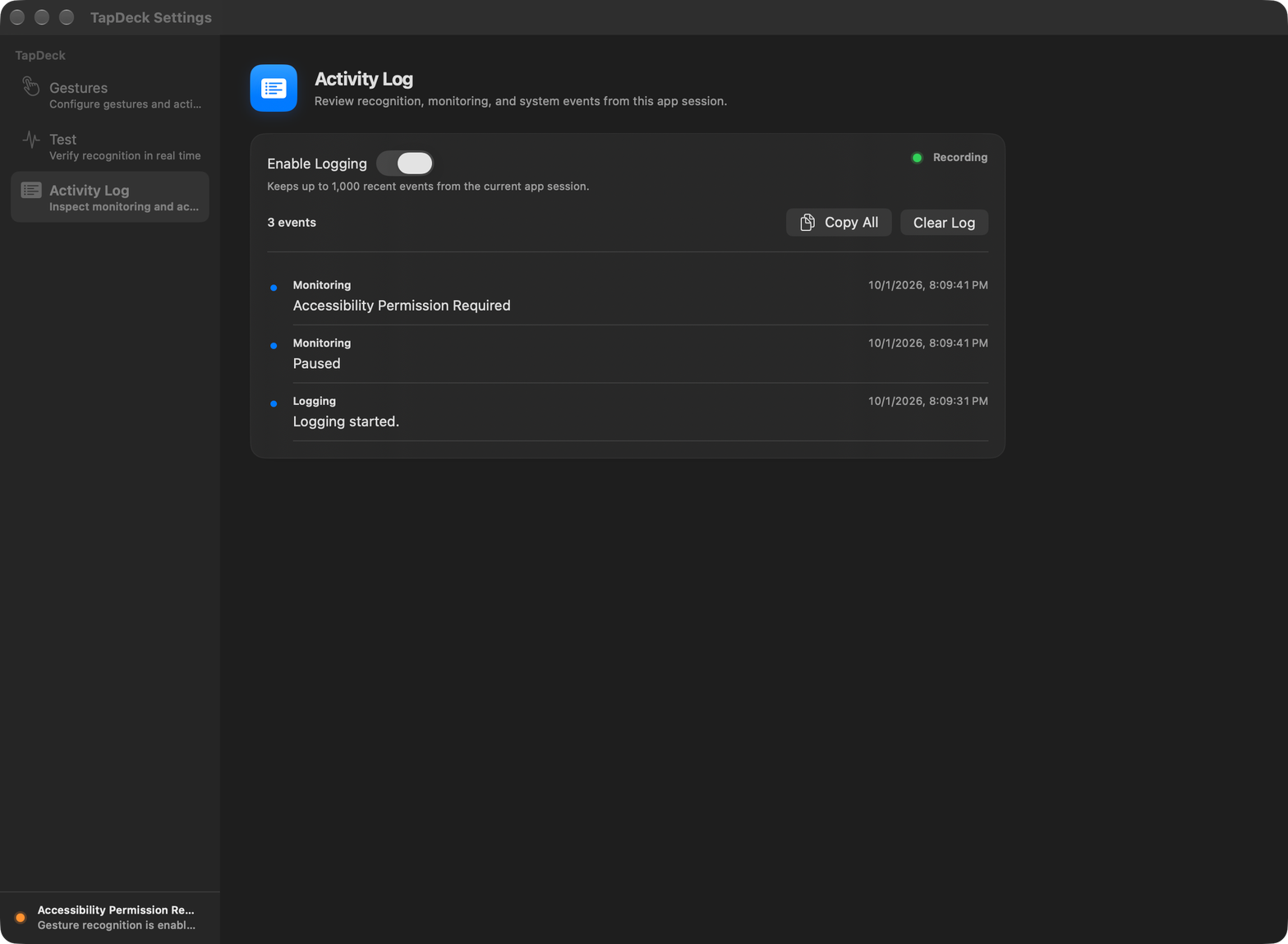
Logging is off by default. When enabled, the app keeps up to 1,000 recent events in memory for the current session. Disabling logging stops new entries without deleting the existing list. Copy All exports the visible session log, while Clear Log removes it. An action request confirms only that TapDeck issued the command; it does not confirm that another application completed it.
Settings
The settings window groups related controls into four pages:
- General — enable recognition, show the menu bar icon, launch at login, and enable haptic feedback.
- Gestures — configure each gesture and adjust maximum tap duration and movement tolerance.
- Test — visualize touch input and check recognition without running configured actions.
- Diagnostics — inspect permissions, reconnect monitoring, review the activity log, reset Accessibility permission, or restore defaults.
Changes take effect immediately. Open Settings with Command-Comma, or reopen TapDeck from Finder or Spotlight. The window remembers the last settings page; closing it always exits Test mode. Choose TapDeck > Quit TapDeck (Command-Q) to stop the background app.
The menu bar icon is shown by default and offers gesture recognition, Settings, and Quit. Choose Hide Menu Bar Icon to remove it while keeping TapDeck running. To bring it back, open TapDeck from Finder or Spotlight and turn on General → Show in Menu Bar.
The screenshots above show the previous 0.5.0 layout and will be refreshed for the reorganized settings interface.
Requirements
- macOS 14 Sonoma or later
- A built-in Mac trackpad or Apple Magic Trackpad
- A pressure-capable trackpad for multi-finger physical clicks
- A Force Touch trackpad for One-finger Force Click
- Accessibility permission to emit mouse and keyboard actions
Build and Run
- Open
TapDeck.xcodeprojin Xcode. - Select the TapDeck (Direct) scheme.
- Build and run the app.
- Choose Open System Settings in the app, then enable TapDeck under Privacy & Security > Accessibility.
The same debug build can be created from Terminal:
xcodebuild \
  -project TapDeck.xcodeproj \
  -scheme 'TapDeck (Direct)' \
  -sdk macosx \
  build
After the settings window is closed, gesture recognition continues in the background. Reopen the app from Finder or Spotlight to change its settings. To stop it completely, choose TapDeck > Quit TapDeck (Command-Q).
Debug builds are isolated from the installed release app. They use the name TapDeck Dev and the bundle identifier app.peterlee.tapdeck.debug; Launch at Login is intentionally unavailable in debug builds. Release builds use TapDeck and app.peterlee.tapdeck.
Localization
The String Catalog at Resources/Localizable.xcstrings contains complete English and Traditional Chinese interface text. English is the development language and is also used as the safe fallback for any missing localization. The app follows the language order configured in macOS.
When adding interface text, use a semantic localization key through L10n and supply an English fallback. Keep both en and zh-Hant entries complete before shipping.
Reliability and Background Behavior
Touch processing is event-driven. While recognition is enabled, a lightweight health check runs every 15 seconds. Silent touch streams are conservatively reopened after 60 seconds, and transient device failures are retried after wake. Mouse and pressure monitors are installed only for enabled gestures. Non-trackpad multitouch devices, including the Touch Bar, are ignored; steady raw frames are limited to 60 Hz while finger landing and lift boundaries remain immediate.
Tests
GitHub Actions builds the release executable and runs the tests on macOS for every push and pull request. The Build workflow can also be run manually from the Actions tab.
The Xcode project contains the native app target and a TapDeckTests unit-test target. Package.swift is included for command-line development.
swift test
Technical Notes and Limitations
Public macOS APIs do not expose global raw multi-finger trackpad data. TapDeck dynamically loads Apple’s private MultitouchSupport.framework at runtime and uses public Core Graphics APIs to emit mouse and keyboard events. Consequently:
- The app is intended for signed direct distribution, not the Mac App Store.
- A macOS update may change private framework behavior; test each target macOS release before distribution.
- Multi-finger physical clicks require pressure data so they can be distinguished reliably from tap-to-click events.
- If a three-finger tap also invokes the system Look Up gesture, disable Look up & data detectors in macOS Trackpad settings.
Privacy
All touch recognition, preferences, and optional activity logs remain on the Mac. TapDeck has no networking code, analytics, telemetry, or cloud dependency.